


- News
- All News
- Mobiles
- Laptops
- Watches
- Cameras
- Printers
- Refrigerators
- Televisions
- Air Conditioners
- Washing Machines
- Air Purifiers
- Water Purifiers
- Expert Reviews
- All Reviews
- Mobiles
- Laptops
- Watches
- Cameras
- Printers
- Refrigerators
- Televisions
- Air Conditioners
- Washing Machines
- Air Purifiers
- Water Purifiers
- Articles
- All Articles
- Mobiles
- Laptops
- Watches
- Cameras
- Printers
- Refrigerators
- Televisions
- Air Conditioners
- Washing Machines
- Air Purifiers
- Water Purifiers
- Videos
- Videos

Ad
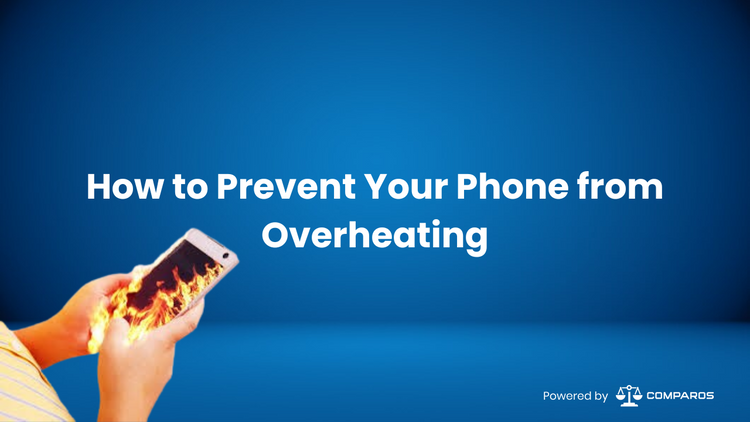
How to Prevent Your Phone from Overheating


on Google
on Google
Typical Phone Overheating Causes
Knowing the main reasons of phone overheating will enable you to act preventively. Here are many typical offenders:
High Ambient Temperatures and Direct Sunlight
Your phone's temperature will be much raised by direct sunshine and high ambient temperatures. Using your phone outdoors on a sunny day or leaving it in a hot car could cause overheating very fast.
Intensive Activities
Gaming, video streaming, and multitasking across several apps—activities requiring significant processing capability—may tax your phone's CPU and GPU, producing extra heat.
Hardware Problems
Your phone may potentially overheat from faulty hardware such a failing charging port or battery. The issue can be worsened by poorly built parts or cheap accessories failing safety criteria.
Signs of Phone Overheating
Timely intervention depends on an awareness of the indicators of phone overheating:
Symptoms
Sluggish Performance: Your phone may slow down significantly as it tries to manage the excess heat.
Unexpected Shutdowns: The device might shut down automatically to prevent damage from excessive temperatures.
Hot Device: You may notice your phone feels unusually hot to the touch.
Risks
Long lengths of overheating can have major effects including:
Diminished Battery Life: Overheating accelerates battery degradation, reducing its lifespan and effectiveness.

Internal Component Damage: Prolonged exposure to high temperatures can damage the phone's internal components.
Fire Hazards: In extreme cases, overheating can lead to battery swelling, leakage, or even fires.
Tips to Prevent Phone Overheating
Software Solutions
Keep the software on your phone current with regular updates. Many times, manufacturers provide upgrades that maximize heat management and performance.
To lighten the processing burden, close pointless apps operating in the background and often clean the cache. Turn on battery-saving modes to cut the resource-intensive tasks. Steer clear of too long gaming sessions or video streaming.
Hardware Care
-
Avoid Using While Charging : Using your phone while charging could cause too much heat generation. Let it charge without regard to best heat control.
-
Use Approved Accessories: Stick to chargers and accessories approved by your phone's manufacturer to avoid overheating caused by substandard products.
-
Remove Cases While Charging : Phone covers could trap heat. Remove the case to provide improved charging heat dissipation.
Environmental Factors
Avoid Direct Sunlight: Keep your phone away from direct sunlight and hot environments. Avoid leaving it in a parked car where temperatures can soar.
Use Cooling Pads or Fans: During intensive tasks, consider using a cooling pad or a small fan to help regulate your phone's temperature.
Well-Ventilated Storage: Store your phone in a well-ventilated area to prevent heat buildup when it's not in use.
Additional Preventive Measures
Monitor Temperature: Use built-in tools or third-party apps to monitor your device's temperature. This helps you stay aware of any potential overheating issues.
Avoid Overcharging: Overcharging your phone can generate excess heat. Unplug it once it’s fully charged.
Thermal Pads and Cooling Gels: In extreme cases, consider using thermal pads or cooling gels to enhance heat dissipation.
Troubleshooting Overheating Issues
Try these troubleshooting techniques if your phone overfits even with preventative actions:
Sometimes a basic restart—by shutting off background programs and resetting the system—resolves overheating problems.
Restart Your Phone: Sometimes, a simple restart can resolve overheating issues by closing background processes and resetting the system.
- Factory Reset: Should overheating continue, a factory reset can assist to solve issues connected to software. Before you do this, be sure you backup your data.
3.Professional Help: If the issue remains unresolved, consult a professional technician or reach out to customer support for assistance with potential hardware-related problems.
Final Thought
To sum up, phone overheating is a typical problem that may cause several concerns, including reduced battery life and even fire threats. Following the advice in this thorough tutorial will help you to proactively stop phone overheating and protect the lifetime and functionality of your gadget. Start these preventative steps now to make sure your phone stays cool—both practically and physically!
Understanding the causes, spotting the symptoms, and putting these preventative actions into effect can help you to keep your phone cool and effective. Keep proactive; your gadget will appreciate you with increased longevity and performance.
Ad
Ad
Confused? Choose Your Phone
What Matters Most


Get TheWeekly Brief
One email each morning: the launches,
the price changes and the reviews
worth reading.

Ad
Ad
 |
|
807, 808, 8th Floor,
IRIS Tech Tower Sohna Road Sector 48,
Gurugram, Haryana - 122018