



Ad
Expert Reviews
Brother MFC-J5855DW Printer Review 2026: Features, Specs, Performance



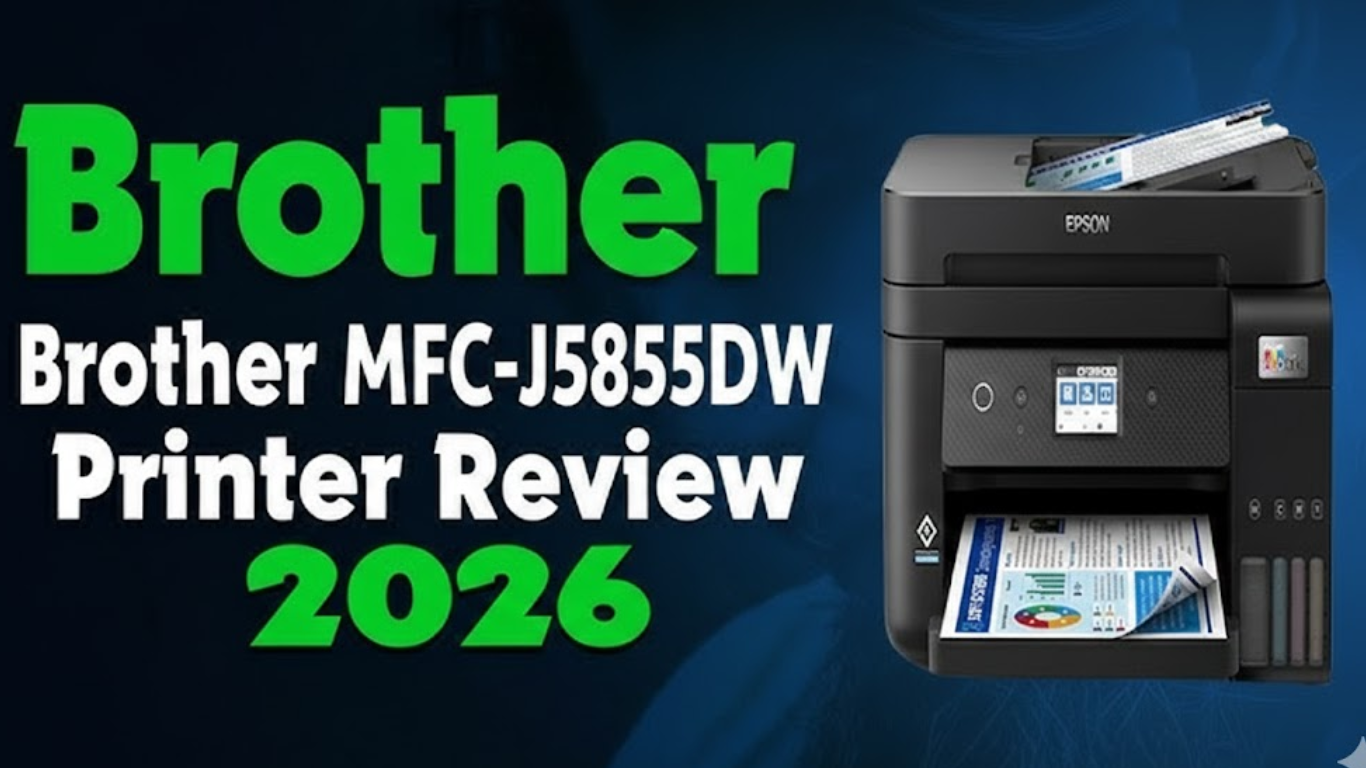
Brother MFC-J5855DW printer is built for Indian home offices and small businesses that need fast, low-cost, wide-format printing. This all-in-one inkjet handles print, scan, copy, and fax, with support for 11×17-inch pages, making it ideal for reports, charts, and posters. In 2026, as work-from-home and small teams grow, demand is high for printers that are ink-efficient, reliable, and quick. This review covers the Brother MFC-J5855DW’s key features, performance, running cost, and value, along with a quick comparison against rivals like the Brother MFC-J6555DW and Epson WorkForce Pro WF-7840.
Powered by Brother’s INKvestment Tank system, the MFC-J5855DW ships with ink that can last up to one year of regular use, reducing refill hassles. Designed for 250–3,500 pages per month, and priced around ₹25,000–₹30,000 in India, it targets users who want wide-format printing without high running costs.
Brother MFC-J5855DW Key Specs Table
| Feature | Details |
|---|---|
| Type | Color inkjet all-in-one (print, copy, scan, fax) |
| Print Speed | Up to 30 pages per minute (black and color) |
| Print Resolution | Up to 4800 x 1200 dpi |
| Paper Size | Up to 11x17 inches (ledger/taboid) |
| Paper Tray | 250-sheet main tray + 100-sheet multi-purpose tray |
| Automatic Document Feeder | 50 sheets (single-sided) |
| Duplex Printing | Yes (automatic two-sided printing up to letter size) |
| Display | 3.5-inch color touchscreen |
| Connectivity | Wi-Fi (dual-band), Ethernet, USB, Wi-Fi Direct, mobile apps |
| Ink Type | INKvestment Tank cartridges (up to 1 year in-box) |
| Monthly Duty Cycle | Up to 40,000 pages |
| Dimensions | 21.5 x 17.2 x 12 inches |
| Weight | 39 pounds |
| Price Range (INR) | ₹25,000–₹30,000 |
| Warranty | 2 years limited |
Brother MFC-J5855DW Detailed Review
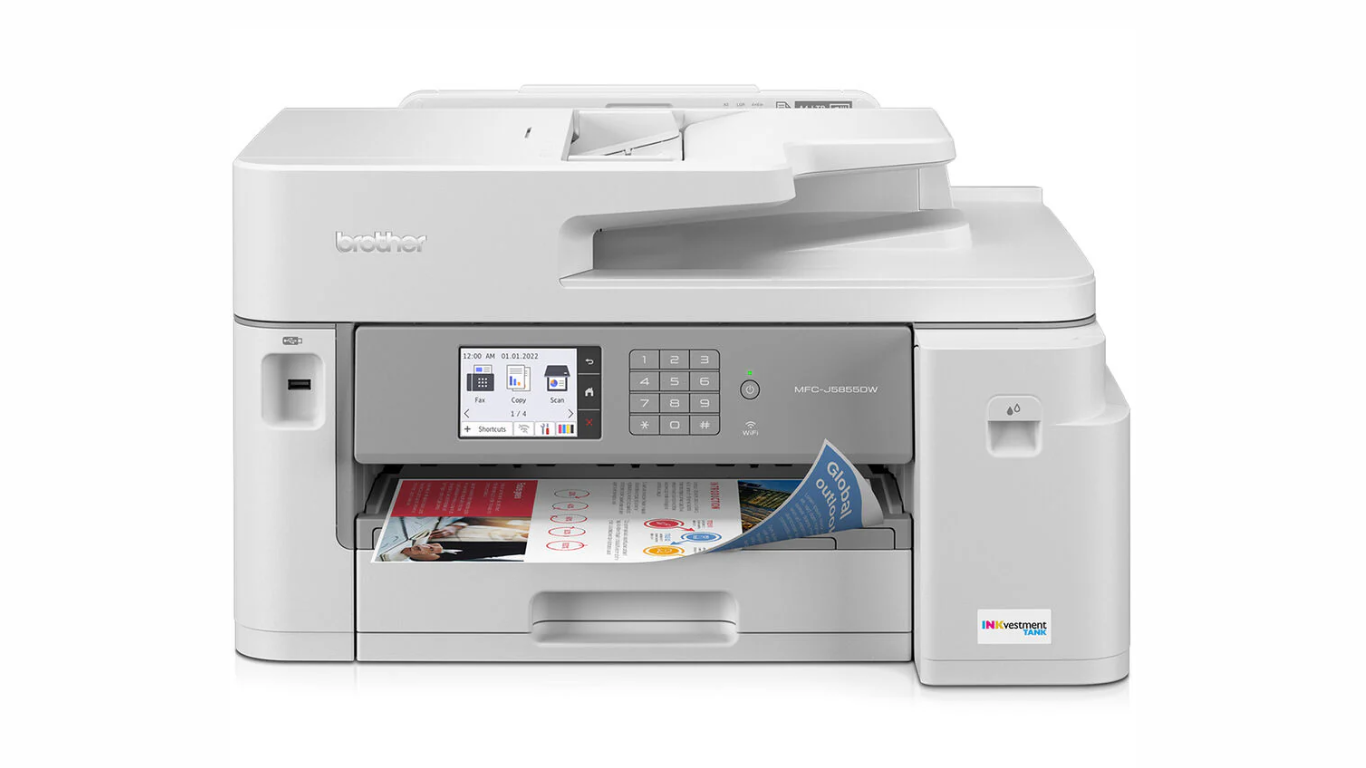
This printer is designed for easy use in small spaces. It prints sharp text and bright colors, making it good for school projects, business docs, or photos. Let's break down its main parts.
1. Build and Design
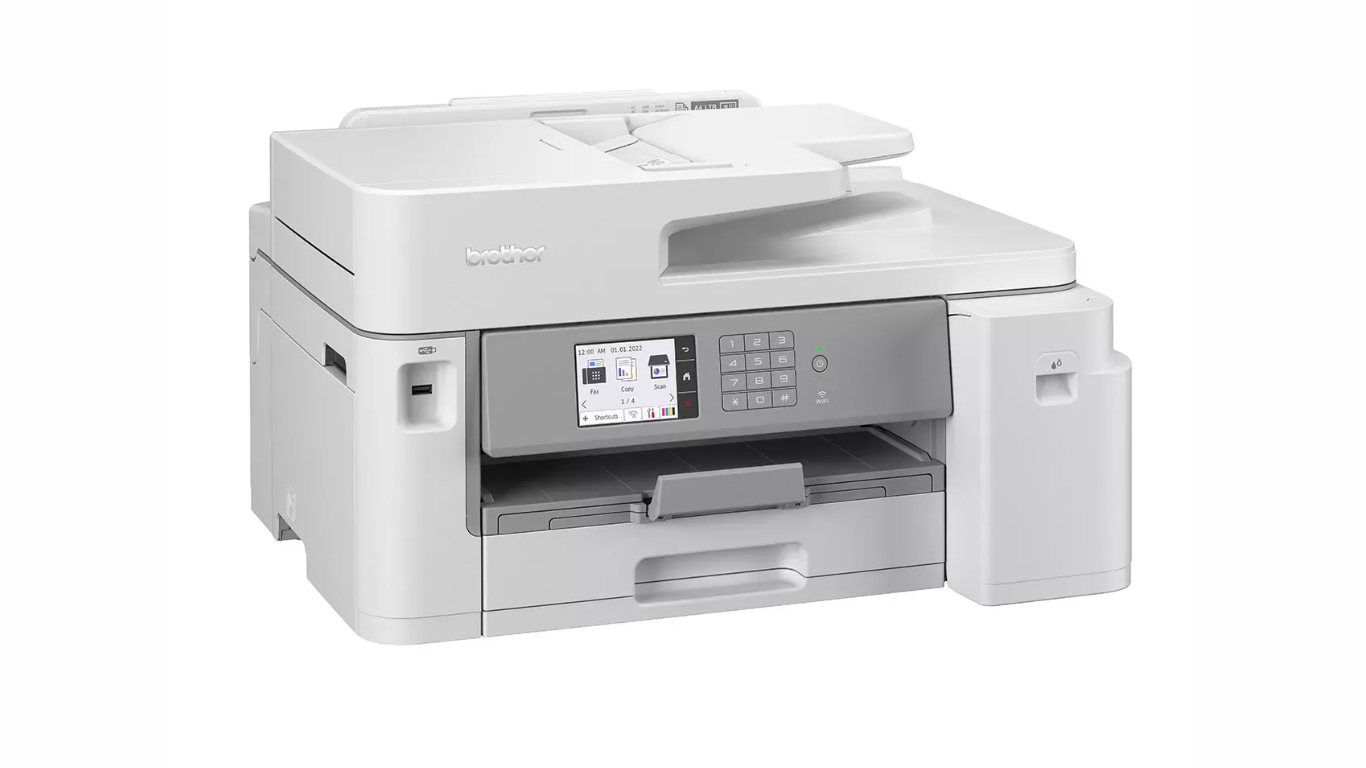
The MFC-J5855DW has a simple gray look that fits in any room. It's not too big, so it works on a desk or shelf. The 3.5-inch touchscreen makes setup quick—you can pick options like Wi-Fi or paper type with a few taps. It has a main tray for 250 sheets of normal paper and a back tray for thicker items like photo paper. The auto feeder holds 50 pages for scanning or copying batches. One downside is it doesn't auto-scan both sides of a page, so you flip them manually for double-sided docs.
2. Printing Performance
It prints up to 30 pages a minute, which is fast for an inkjet. In tests, a 12-page text file took about 21 seconds without the first page. The first page comes out in 4-5 seconds, so no long waits. For color prints like charts or images, it handles 16 pages a minute. Photos on 4x6 paper take around 59 seconds each. Print quality is clear—text looks sharp even at small sizes like 6-point font. Colors are bright and even, with no big streaks. On glossy paper, photos look like store prints. But if you print heavy color on thin paper, it might curl a bit. Use thicker paper to avoid this.
3. Copying and Scanning
Copy speed is 25 pages a minute for black and 16 for color. You can shrink or enlarge copies from 25% to 400%. It copies IDs or makes posters easily. Scanning is up to 1200 dpi on the flatbed or 600 dpi from the feeder. You can scan to email, USB drive, or cloud like Google Drive. Features like auto deskew fix crooked pages, and it skips blank ones. Scan quality is good for docs or photos, but no auto two-sided scanning limits it for thick reports.
4. Faxing
It faxes in black or color at 33.6 kbps. You can send to 250 places at once and store 150 pages if paper runs out. It works with caller ID and can fax from your PC. This is handy for offices that still use fax.
5. Ink System and Running Costs
The INKvestment Tank comes with ink for up to 3,000 black pages and 1,500 color pages each. That's about a year's worth if you print 300 pages a month. Replacement cartridges are cheap—standard black costs around ₹3,000 for 3,000 pages, so about 1 rupee per page. Color is 5 rupees per page. High-yield options last longer, up to 5,000 pages. No need for subscriptions like some HP models. Ink save mode cuts use for drafts. This keeps costs low compared to old cartridge printers.
6. Connectivity and Software
It connects via Wi-Fi (2.4GHz or 5GHz for faster speeds), Ethernet for wired setup, or USB. Wi-Fi Direct lets you print from phones without a network. The Brother Mobile Connect app works on Android or iOS for printing, scanning, or checking ink levels. It supports AirPrint for Apple devices and Mopria for Android. You can print from cloud apps like Dropbox right from the screen. Security includes password locks and safe network options. Setup is easy—most users say it takes 15-20 minutes.
7. Power Use and Noise
It uses 35 watts when copying but only 0.9 watts in sleep mode. It's ENERGY STAR certified, so it's good for the environment. Noise is low at 51.5 dB, quieter than many printers—fine for home use without bothering others.
Pros and Cons of Brother MFC-J5855DW
Pros:
- Fast printing for both black and color.
- Low ink costs with a year's supply included.
- Prints large 11x17 pages for big projects.
- Easy touchscreen and mobile app.
- Good print quality for text, graphics, and photos.
- Multiple connection options.
Cons:
- No auto two-sided scanning or copying.
- Paper might curl on heavy color prints with thin paper.
- ADF limited to single-sided and legal size max.
- Prints can smudge if wet (common for inkjets).
- Heavier than some home printers at 39 pounds.
Comparisons to Recent Printer Models in 2026
In 2026, Brother has updated its line with models like the MFC-J6555DW, which adds auto two-sided printing for 11x17 pages. It's similar in speed but costs more, around ₹35,000, and has a bigger tray. The MFC-J5955DW is a step up with higher duty cycle for busier offices. Compared to the Epson WorkForce Pro WF-7840 (₹28,000), the Brother is faster at 30 ppm vs. 25 ppm, but Epson has better duplex scanning. HP OfficeJet Pro 9015e (₹22,000) is smaller but slower and has higher ink costs without the tank system. For eco-friendly options, Epson EcoTank ET-2760 uses bottle ink for even lower costs but prints slower at 10 ppm. If you need laser for toner, Brother MFC-L2820DW is a new 2026 model at ₹15,000, but it's black-only and no wide format.
India's Printer Market in 2026: Key Trends
- Low-Cost Ink Systems: Models with tanks like INKvestment or EcoTank are popular to cut refill expenses.
- Wide-Format Demand: More need for 11x17 printing for home schooling or small biz graphics.
- Smart Connectivity: Printers with apps and cloud links make remote work easier.
- Energy Savings: Eco-certified models like this one help with rising power bills.
- Multi-Function Growth: All-in-ones save space over separate machines. Brands like Brother lead with 20% market share, followed by HP and Epson.
Also Read: 2026 Tata Punch Facelift Review: Price, Features, and Performance
Choosing the Right Printer: Is Brother MFC-J5855DW for You?
| Use Case | Best For | Why MFC-J5855DW Fits (or Not) |
|---|---|---|
| Home Office Printing | Daily reports, photos | Fast speed and low costs make it ideal; large paper support for posters. |
| Small Business | Invoices, flyers | Handles 3,500 pages a month; fax and scan features help. |
| Students/Families | School work, crafts | Easy setup, color quality good; but no duplex scan for long docs. |
| Heavy Scanning | Multi-page contracts | Not best—pick MFC-J6555DW for two-sided auto scan. |
| Budget Buyers | Low ongoing costs | Year's ink included saves money vs. cartridge models. |
| Eco-Conscious | Low power use | ENERGY STAR rating and ink save mode. |
If you print mostly text, consider laser like Brother MFC-L2820DW. For photos, Epson ET-2760 might be better.
Final Thoughts:
The Brother MFC-J5855DW is a solid choice for anyone needing a fast, affordable all-in-one printer with wide-format options. Its low ink costs and quick speeds make it stand out in 2026's market, where saving money matters. While it lacks some advanced features like two-sided scanning, it's great for home or small office use. Users praise its easy setup and clear prints, with few jams. At its price, it offers good value compared to newer models like the MFC-J6555DW, which add extras but cost more. If you print under 3,500 pages a month and want something simple, this printer delivers without hassle.
Also Read: Best Laser Printers for Photo Printing in India 2026
Comparos Says: The Brother MFC-J5855DW combines speed, quality, and savings in one package. It's a smart buy for everyday needs in 2026, helping you print more for less.
Follow Us:



Ad
Recent News

Meta Launches Meta One Subscription Bundling Social Media and AI Features Globally
16-Sep-2026 01:30 PM

Vivo V80 Teased Ahead of Expected October Launch in India
16-Sep-2026 11:30 AM

Zuckerberg Rejects AI Slowdown Calls: “Labs Must Act Independently”
16-Sep-2026 10:30 AM

iPhone Duo 2026 Production Forecast Cut to 6 Million Units Amid Hinge Manufacturing Challenges
16-Sep-2026 07:30 AM

Samsung Hikes Smartphone Memory Prices 10% — Apple Next in Line
16-Sep-2026 02:30 AM

China Pitches Open-Source AI Bloc at BRICS Summit in New Delhi — What It Means for India's Tech Ecosystem
15-Sep-2026 11:43 AM
Ad
Reviews & Guides
View All


Samsung Galaxy Buds 4 Pro Review: क्या ₹22,999 में मिलते हैं सबसे बेहतरीन प्रीमियम वायरलेस ईयरबड्स?

कंटेंट क्रिएटर के लिए सबसे दमदार बैटरी लाइफ वाले Windows लैपटॉप, 18 घंटे की मिलेगी बैटरी लाइफ

Samsung Galaxy S26 Ultra क्यों है साल का सबसे बेहतरीन स्मार्टफोन? जानें 5 बड़े कारण

MacBook Neo Review: सस्ता नहीं, Apple का मास्टरस्ट्रोक है ये Laptop!

Samsung Galaxy S26 Ultra Review: AI से लेकर प्राइवेसी डिस्प्ले है सबसे खास, जानें कैसी है परफॉरमेंस
Vivo V70 Elite Review 2026: Price in India, Specs, Features

OnePlus Campus Dominate Season 3 Concludes in Delhi NCR

Raksha Bandhan Special: 6 vivo Smartphones for Every Kind of Sibling

Acer Launches New Nitro 5 Series in india starting price of 167,990

Flipkart Freedom Sale 2026 Starts August 8 With Big Discounts on Smart TVs

Samsung has unveiled its first credit card, Earn 5% back

5 Anti-Scam Tools on WhatsApp that protect you from Digital Fraud








Ad
 |
|
807, 808, 8th Floor,
IRIS Tech Tower Sohna Road Sector 48,
Gurugram, Haryana - 122018