


- News
- All News
- Mobiles
- Laptops
- Watches
- Cameras
- Printers
- Refrigerators
- Air Conditioners
- Washing Machines
- Air Purifiers
- Water Purifiers
- Expert Reviews
- All Reviews
- Mobiles
- Laptops
- Watches
- Cameras
- Printers
- Refrigerators
- Air Conditioners
- Washing Machines
- Air Purifiers
- Water Purifiers
- Articles
- All Articles
- Mobiles
- Laptops
- Watches
- Cameras
- Printers
- Refrigerators
- Air Conditioners
- Washing Machines
- Air Purifiers
- Water Purifiers
- Videos
- Videos

Ad
How to Use Google Maps to Avoid Noida Traffic Jams During Worker Protests
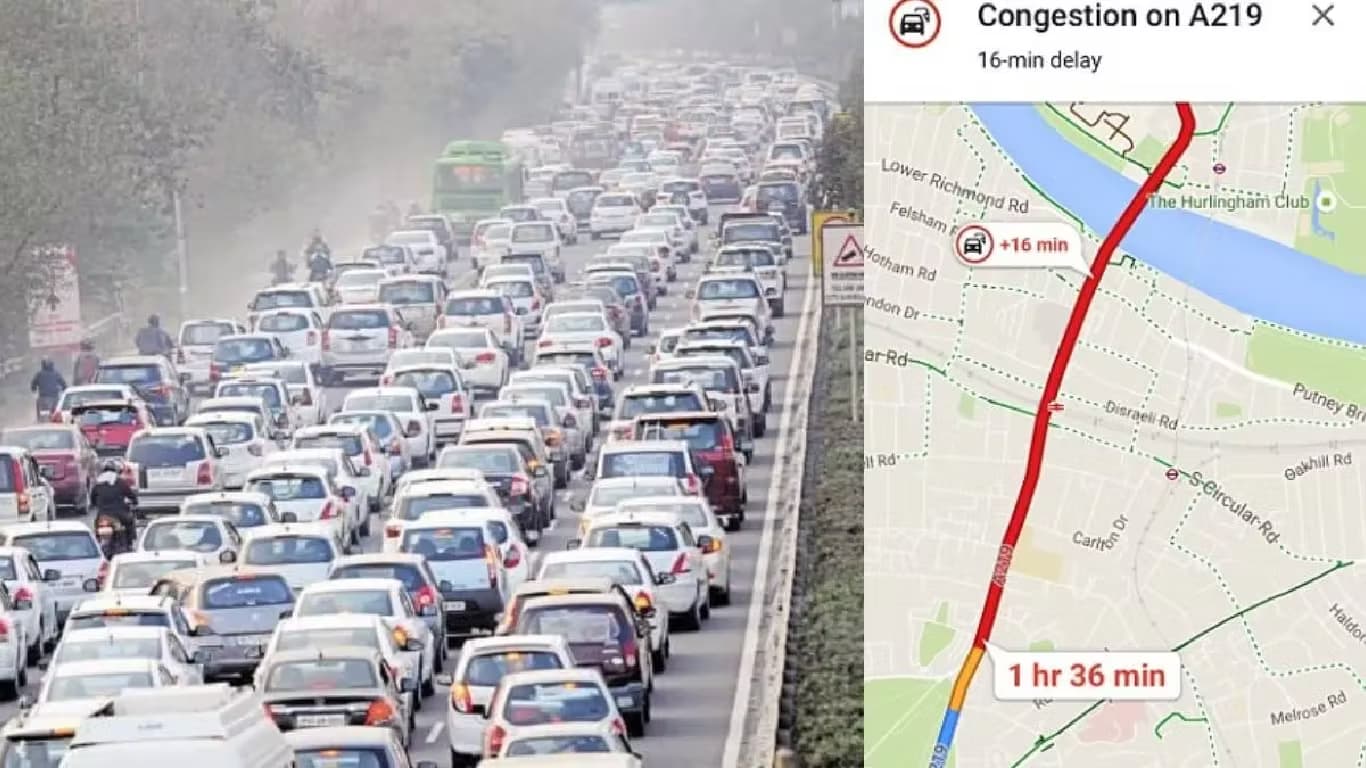
Noida has experienced severe traffic jams as thousands of commuters remain stranded for hours. Violent protests by industrial workers demanding salary hikes in Phase 2 and near the Chilla border have caused major disruptions. Key roads such as the DND Flyway and NH-24 are heavily blocked. Authorities have issued a formal Noida traffic advisory to help the public navigate the situation.
Key Highlights
- Noida faces major traffic jams due to worker protests in Phase 2 and near Chilla border
- Authorities advise using DND Flyway or Kalindi Kunj instead of Chilla border for Delhi travel
- Google Maps offers alternate routes and AI features to help commuters avoid congested areas
- Immersive navigation and real-time updates improve route planning during traffic disruptions
Current Traffic Situation in Noida
Authorities report that the Chilla border is a major congestion point due to ongoing worker demonstrations. Commuters are advised to avoid the Chilla border and instead use the DND Flyway or Kalindi Kunj for travel toward Delhi. The situation remains fluid, and officials recommend checking the latest updates on official social media and police channels before starting any journey.
Planning your route in advance can help avoid delays. Local authorities stress the importance of staying informed and using real-time navigation tools to choose the best available routes.
Using Google Maps for Alternate Routes
Finding the Best Route
Open Google Maps and enter your destination. Before starting navigation, review the available routes on the map. The best route appears in blue, while alternate routes are shown in grey. Check the estimated travel time for each option. Tap on any alternate route to select it. Routes with fewer red or orange lines usually indicate lighter traffic.
Leveraging Gemini AI Features
Google Maps now includes smart features powered by Gemini AI. Tap the 'Ask Maps' option below the search bar. You can type or say commands such as 'avoid traffic' or 'less crowded route.' The AI will suggest routes based on live traffic data and your preferences. You can also specify requests like 'add stop' or 'avoid toll' for more tailored results.
Using Immersive Navigation
Immersive navigation offers a more visual understanding of your route. Select your destination and start navigation. Switch to the immersive or detailed view if available. This view displays road layouts, traffic density, and surroundings clearly. Alternate routes are visible in grey and can be selected at any time. Google Maps will recalibrate if you start driving on a different route.
Tips for Real-Time Route Adjustments
Traffic conditions can change quickly. Google Maps may automatically suggest a faster route if it detects congestion. These alternate routes are usually shown in grey. Sometimes, the app will switch you to a faster route automatically. You can also zoom out to check other possible routes. Once you start driving, Google Maps will adjust the navigation based on your chosen path.
Staying updated and flexible with your route choices can help you avoid long delays during the ongoing disruptions in Noida.
Ad
Ad
Confused? Choose Your Phone
What Matters Most


Get TheWeekly Brief
One email each morning: the launches,
the price changes and the reviews
worth reading.

Ad
Ad
 |
|
807, 808, 8th Floor,
IRIS Tech Tower Sohna Road Sector 48,
Gurugram, Haryana - 122018