


- News
- All News
- Mobiles
- Laptops
- Watches
- Cameras
- Printers
- Refrigerators
- Televisions
- Air Conditioners
- Washing Machines
- Air Purifiers
- Water Purifiers
- Expert Reviews
- All Reviews
- Mobiles
- Laptops
- Watches
- Cameras
- Printers
- Refrigerators
- Televisions
- Air Conditioners
- Washing Machines
- Air Purifiers
- Water Purifiers
- Articles
- All Articles
- Mobiles
- Laptops
- Watches
- Cameras
- Printers
- Refrigerators
- Televisions
- Air Conditioners
- Washing Machines
- Air Purifiers
- Water Purifiers
- Videos
- Videos

Ad
WhatsApp Introduces Message Scheduling Feature for Android Beta Users


on Google
on Google
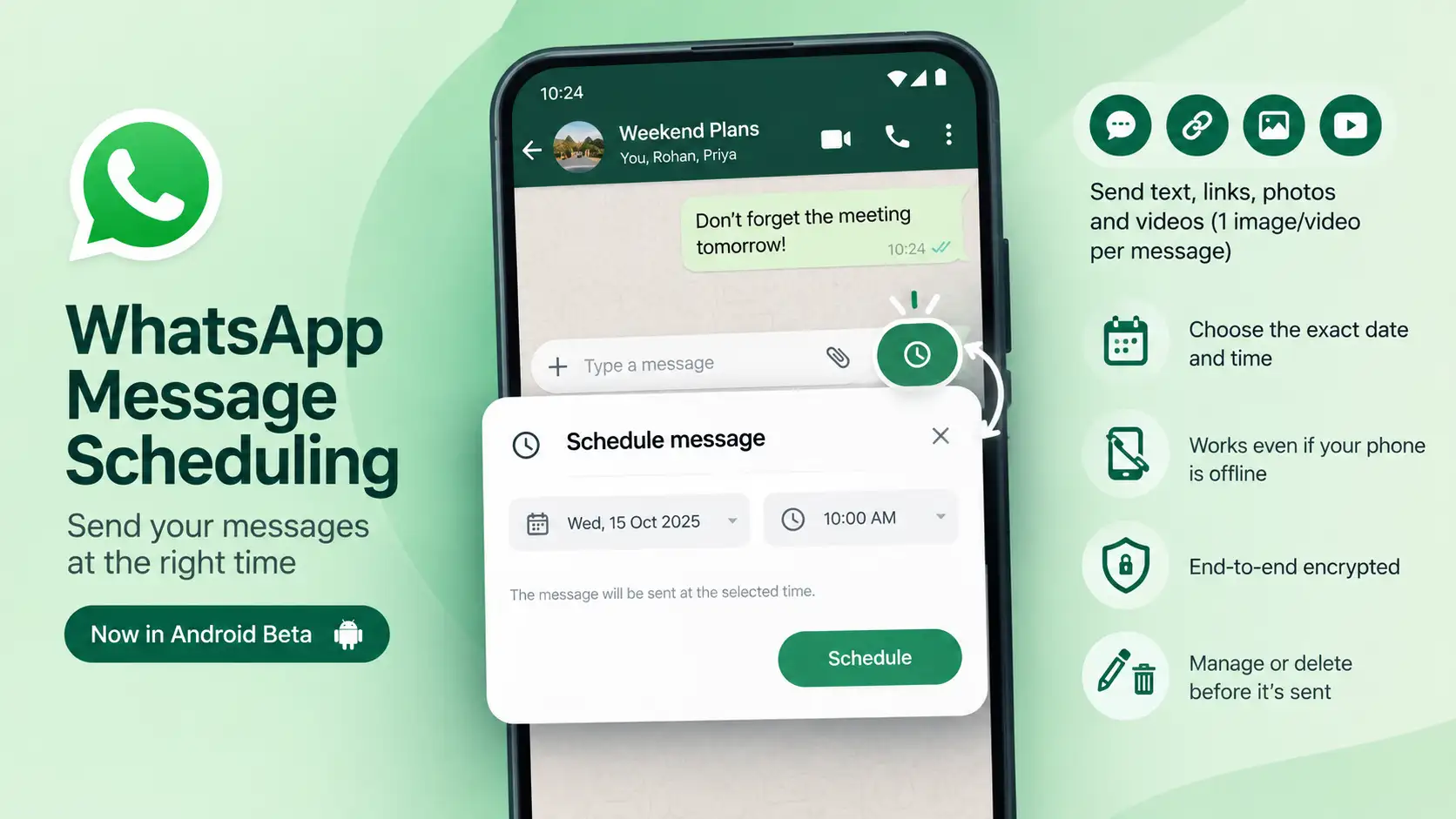
WhatsApp has started rolling out a message scheduling feature to a select group of users in its Android beta program. With it, you can pick the exact date and time you want a message to go out. Right now it’s only showing up for some beta testers through the Google Play Store.
Key Highlights
- WhatsApp is testing message scheduling with a limited set of Android beta users
- You can schedule text, links, and one image or video per message
- Scheduled messages can be managed or deleted before they’re delivered
How Message Scheduling Works
You can schedule messages in both one-on-one and group chats, so they go out at a time you choose. The nice part is that your phone doesn’t need to be online when the time comes. Even if you’re offline, the message will still be delivered as planned.
You can schedule text, links, photos, and videos, but only one image or video per scheduled message. Scheduled messages are also end-to-end encrypted, just like any regular WhatsApp message, so there’s no drop in security.
To schedule one, press and hold the send button inside a chat. A screen will pop up where you can choose when it should be sent. The earliest you can schedule is 10 minutes from now, and the furthest is two weeks ahead.
Managing Your Scheduled Messages
After you schedule a message, you’ll find it in a dedicated section on the chat info screen. From there, you can check on it, change it, or delete it any time before it’s sent. If you delete one before it goes out, the other person won’t get any notification and will never know you had planned to message them.
In group chats, there’s one thing to keep in mind: a scheduled message is delivered only to people who were already in the group when you scheduled it. Anyone who joins after that, even if it’s before the message is sent, won’t receive it.
Availability and What’s Next
For now, the feature is limited to some users in the Android beta program. WhatsApp hasn’t shared when it will reach everyone else, but it’s expected to widen access once it has gathered more testing and feedback.
The idea is to make life easier for people who want to send reminders, updates, or time-sensitive messages without having to be online at that exact moment.
Ad
Ad
Confused? Choose Your Phone
What Matters Most


Get TheWeekly Brief
One email each morning: the launches,
the price changes and the reviews
worth reading.

Ad
Ad
 |
|
807, 808, 8th Floor,
IRIS Tech Tower Sohna Road Sector 48,
Gurugram, Haryana - 122018